Open the page
Open a page containing media you have permission to save.
NARROWWORKS
A local media download tool for Windows + Chrome. No complicated setup—play, detect, and CATCH.
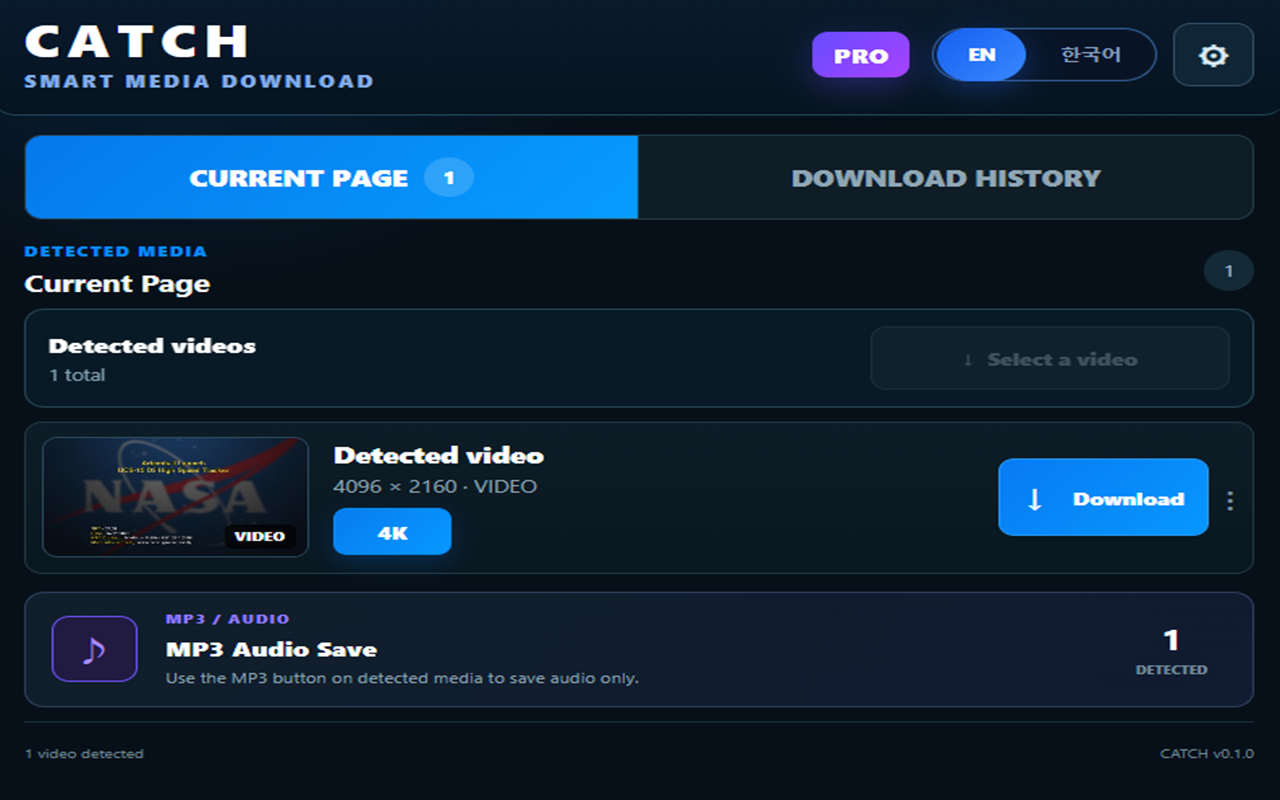
HOW CATCH WORKS
Four simple steps are enough. No technical vocabulary required.
Open a page containing media you have permission to save.
Play the video as you normally would.
CATCH finds the media sources that are available.
CATCH selects the best available flow, downloads it, and verifies the result.
WHY CATCH
CATCH is designed to organize the download process—not bury you in a long list of sources.
SMART DOWNLOAD
CATCH organizes the download flow so you do not have to sort through complicated source lists yourself.
SOURCE QUALITY
See and use the quality range that the original media source actually provides.
VIDEO + AUDIO
When needed, the local engine combines separate video and audio streams into one file.
VERIFIED DOWNLOAD
FFprobe-based verification checks the downloaded result after the job finishes.
LOCAL PROCESSING
CATCH is designed around local media processing on the user's computer.
MP3 / AUDIO
PRO provides a more flexible flow for saving detected audio.
DRM DETECTION
CATCH does not provide DRM circumvention features.
DOWNLOAD MANAGER
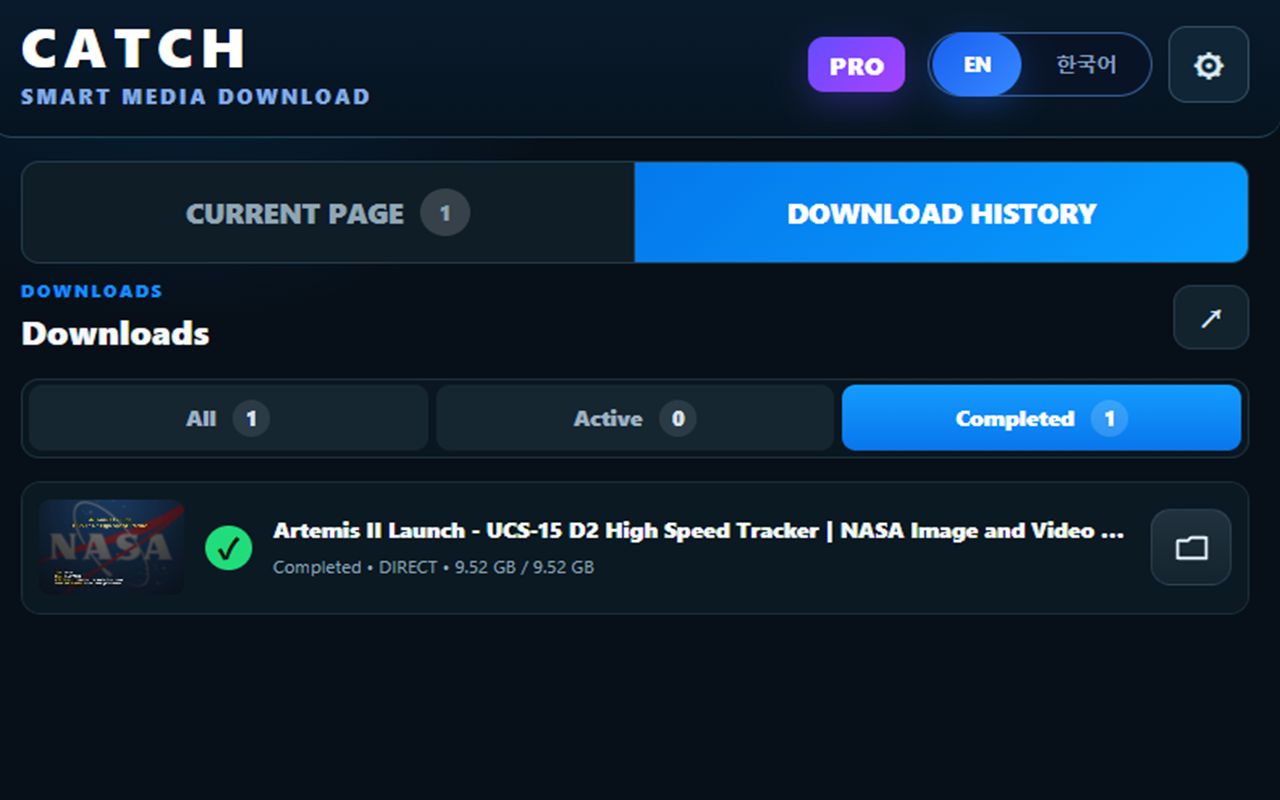
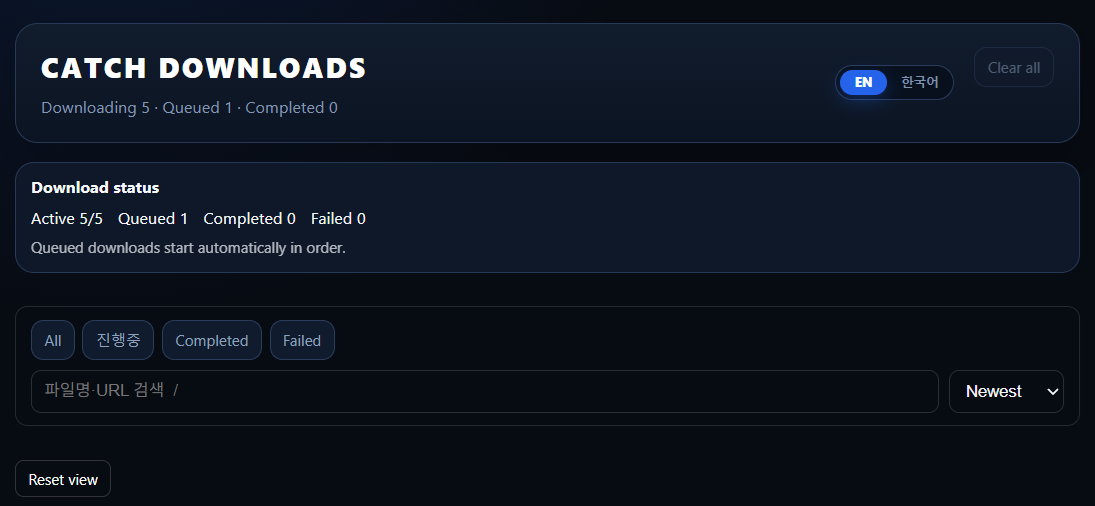
Track current downloads and completed files more easily.
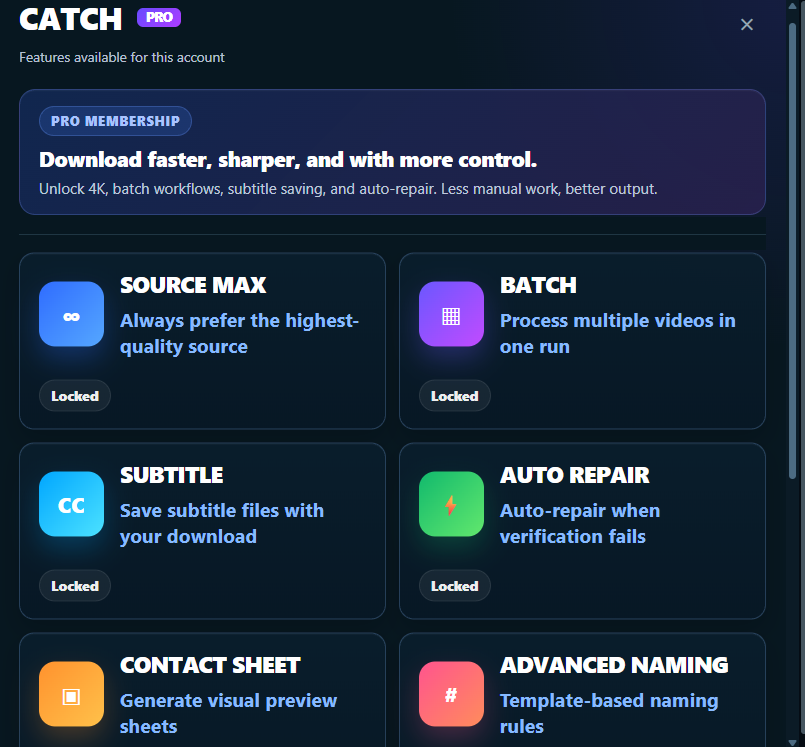
PRODUCT UI
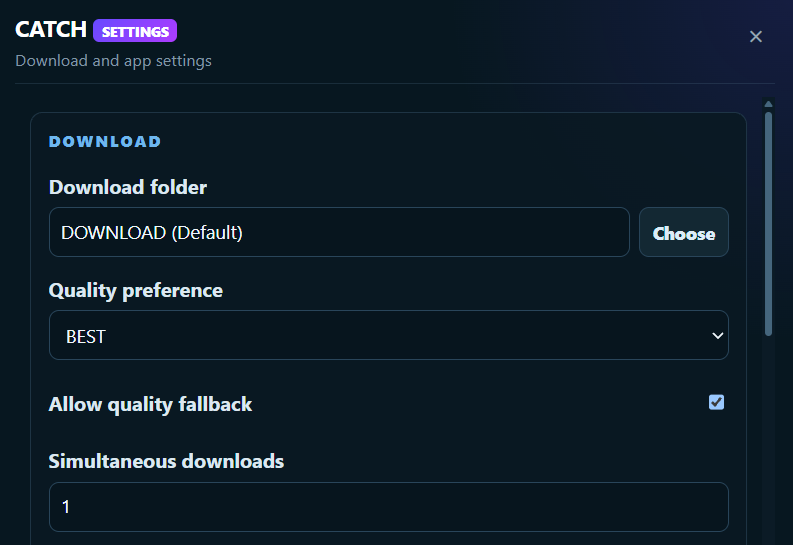
FREE / PRO
CREATOR and Lifetime plans are not displayed on the landing page at this time.
FREE
Start using CATCH with no upfront cost
Remove download limits and unlock advanced features
SOURCE MAX · PRO
CATCH does not artificially upscale video. When the original source genuinely provides higher quality, CATCH can analyze and use it.
LOCAL PROCESSING
CATCH's core media-processing flow runs locally.
Current official desktop target
Based on the latest stable version
Connects browser detection with local processing
INSTALL
Download links are activated only after the official release URLs are confirmed.
Install the local engine for Windows 10 / 11 x64.
Install CATCH Extension from the Chrome Web Store.
Play a video and CATCH detects the available media sources.
FAQ
A clear explanation of what CATCH can and cannot do.
Yes. The FREE plan is ₩0 and includes Smart Download, up to 1080p, 1 concurrent download, and up to 5 successful downloads per day.
PRO removes the daily download limit, supports up to 5 concurrent downloads, and includes Source Max, Batch Download, Subtitle, Auto Repair, Contact Sheet, Advanced Naming, Duplicate Detection, and MP3 / Audio.
No. Detection or downloading may be limited by how a website delivers media, your permissions, security policies, or DRM.
No. CATCH does not provide DRM circumvention. When protected content is detected, the download is blocked and the user is informed.
FREE supports up to 1080p. With PRO, Source Max can analyze and use higher quality when the original source actually provides it.
If the original source genuinely provides an 8K stream, it can be considered by Source Max in PRO. Not every video is available in 8K.
With PRO, the MP3 / Audio flow can save detected audio in its original format or as MP3.
When needed, CATCH pairs Video + Audio sources and combines them through the local engine.
By default, CATCH can be configured to save files in the Windows Downloads folder or another location selected by the user.
Core media downloading and processing run on the user's PC. Anonymous error reporting is designed to operate only when explicitly enabled by the user.
The current official target is Windows 10 / 11 x64 with the latest stable version of Google Chrome. Mac and Linux support are not promised at this time.
A download can fail because of media-source availability, site policy, network conditions, or DRM. Check the failure reason, try again when appropriate, or use the support channel.
RESPONSIBLE USE
CATCH is a tool for saving content you own, have permission to save, or are otherwise allowed to download. Users are responsible for complying with copyright and the relevant service terms. CATCH does not provide DRM circumvention features.